
The CTO's Guide to Migrating from .NET Framework to .NET 8
A practical, business-focused guide for technology leaders planning a move from legacy .NET Framework applications to modern .NET 8—covering architecture, compatibility, performance, security, migration strategy, and the decisions that determine whether the transformation succeeds.


Article Contents
- •Why .NET Framework Modernization Matters
- •.NET Framework vs. Modern .NET
- •Why CTOs Should Care About the Migration
- •Assessing the Existing Application
- •Choosing the Right Migration Strategy
- •Understanding Compatibility Risks
- •Modernizing the Application Architecture
- •Dependencies and Third-Party Libraries
- •Performance, Scalability, and Cloud Readiness
- •Security and Operational Improvements
- •Testing and Observability
- •A Practical Migration Roadmap
- •Common Migration Mistakes
- •Measuring Migration Success
- •The Future of .NET Modernization
- •Making the Call
- •Final Takeaway
A practical, business-focused guide for technology leaders planning a move from legacy .NET Framework applications to modern .NET 8—covering architecture, compatibility, performance, security, migration strategy, and the decisions that determine whether the transformation succeeds.
Why .NET Framework Modernization Matters
Many enterprise applications were built on .NET Framework because it was the right platform for Windows-based business software for many years.
Those applications can still be valuable.
They may contain:
- Critical business logic
- Years of domain knowledge
- Large customer bases
- Complex integrations
- Important databases
- Internal workflows that cannot easily be replaced
The problem is that the surrounding technology landscape has changed.
Modern applications increasingly need:
Cloud deployment
Containerization
Cross-platform execution
Modern APIs
Independent scaling
Automated delivery
Better observability
This is where modern .NET becomes strategically important.
.NET 8 provides a modern foundation for building and running applications across Windows and Linux, while supporting cloud-native development and modern application architectures.
For a CTO, the migration question is therefore bigger than:
"How do we upgrade our framework?"
The real question is:
"How do we modernize a critical business application without putting the business at unnecessary risk?"
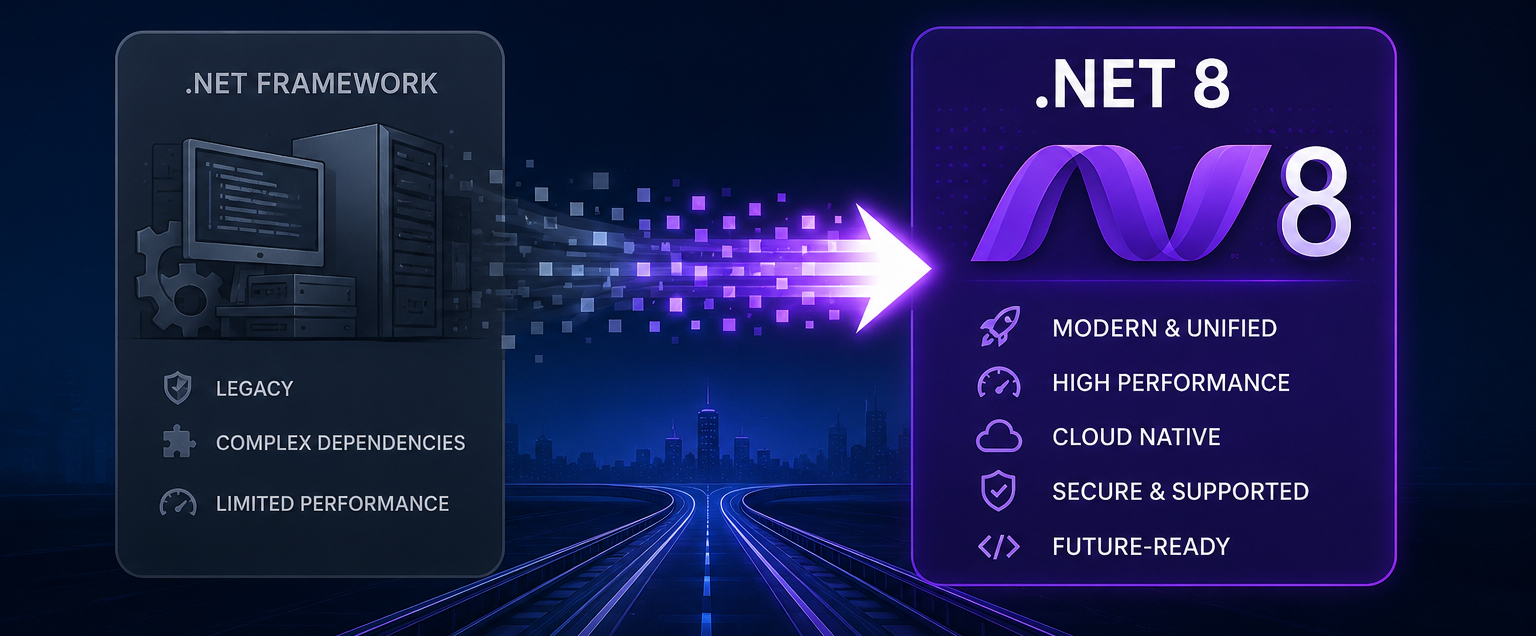
.NET Framework vs. Modern .NET
The difference is more than a version number.
Traditional .NET Framework applications are generally tied closely to the Windows ecosystem.
Modern .NET is designed as a cross-platform, unified platform.
A simplified comparison:
| Area | .NET Framework | Modern .NET / .NET 8 |
|---|---|---|
| Platform | Primarily Windows | Cross-platform |
| Cloud-native development | More limited | Strong support |
| Containers | Possible, but less natural | First-class scenario |
| Performance | Mature | Modern runtime improvements |
| Deployment | Traditionally machine/runtime oriented | Flexible deployment models |
| APIs | Large legacy surface | Modern unified platform |
| Linux | Not supported as a general runtime | Supported |
| Modern web development | ASP.NET / older models | ASP.NET Core |
| Long-term modernization | Increasingly constrained | Active modern platform |
The migration does not mean every part of the old application needs to be redesigned immediately.
In fact, trying to modernize everything simultaneously is often one of the biggest risks.
Why CTOs Should Care About the Migration
A platform migration affects more than developers.
It can influence:
Infrastructure costs
Security posture
Developer productivity
Release velocity
Cloud adoption
Application scalability
Hiring and engineering skills
Technical debt
A legacy application may continue to work for years.
But the cost of maintaining it can gradually increase.
Developers spend more time working around old dependencies.
Infrastructure becomes harder to automate.
Modern deployment patterns become more difficult to adopt.
New engineers may find the architecture harder to understand.
The strategic risk is not necessarily that the application suddenly stops working.
It is that:
The organization becomes increasingly expensive and slow to change the application.
Migration is therefore an opportunity to reduce that long-term friction.
Assessing the Existing Application
Do not begin the migration by changing the target framework.
Begin with an inventory.
A useful assessment should identify:
Application Type
Is it:
- ASP.NET MVC?
- ASP.NET Web API?
- Web Forms?
- Windows service?
- Desktop application?
- Background processing system?
- Large enterprise monolith?
Dependencies
Identify:
- NuGet packages
- Third-party libraries
- Internal libraries
- Native dependencies
- COM components
- Windows-specific APIs
Infrastructure
Understand:
- IIS configuration
- Windows services
- Scheduled tasks
- Servers
- Databases
- External integrations
Architecture
Map:
User
 ↓
Web Application
 ↓
Business Layer
 ↓
Data Access
 ↓
Database
Then identify where the application depends on Windows-specific behavior or legacy technology.
This assessment determines the actual migration difficulty.
Choosing the Right Migration Strategy
There is no single migration strategy that works for every enterprise.
Three common approaches are useful.
1. In-Place Modernization
Move the application toward modern .NET while preserving much of the existing architecture.
.NET Framework
      ↓
Modern .NET
      ↓
Incremental Refactoring
This can reduce disruption but may leave some architectural limitations in place initially.
2. Incremental Migration
Move individual capabilities gradually.
Legacy Application
      ↓
Extract Module
      ↓
Modern .NET Service
      ↓
Extract Next Capability
      ↓
Modernized Platform
This approach can reduce risk because the organization does not need to transform everything simultaneously.
3. Rebuild
Create a new application on modern .NET.
This provides maximum architectural freedom but also carries the greatest execution risk.
A rebuild should generally be justified by significant business or technical limitations in the existing system.
Otherwise, organizations can spend years recreating functionality they already had.
Understanding Compatibility Risks
This is where migration projects often become complicated.
Modern .NET is not simply a drop-in replacement for .NET Framework.
Some APIs and technologies are different or unavailable.
Potential problem areas include:
- Web Forms
- Legacy ASP.NET components
- Windows-only APIs
- COM dependencies
- Old authentication systems
- Native libraries
- Custom configuration mechanisms
- Unsupported third-party packages
For example:
Legacy Component
      ↓
Is It Supported?
   ↙        ↘
 Yes         No
 ↓            ↓
Migrate    Replace / Refactor
This is why dependency assessment should happen before implementation begins.
A migration plan based only on source-code size can be misleading.
A relatively small application with one critical legacy dependency may be harder to migrate than a much larger application built from modern libraries.
Modernizing the Application Architecture
A framework migration is an opportunity to improve architecture—but modernization should be deliberate.
A legacy application might look like:
                 Monolith
                    │
        ┌───────────┼───────────┐
        ▼           ▼           ▼
     UI Layer   Business      Data
                    │
                    ▼
                 Database
The modern architecture might evolve toward:
                  API
                   │
        ┌──────────┼──────────┐
        ▼          ▼          ▼
     Orders     Identity    Reporting
        │          │          │
        └──────────┼──────────┘
                   ▼
              Data Layer
But there is an important warning:
Do not introduce microservices simply because you are moving to .NET 8.
A well-structured modular monolith can be easier to operate and migrate than a collection of distributed services.
Modernization should solve real problems.
Dependencies and Third-Party Libraries
Third-party dependencies can determine the migration timeline.
For every important package, ask:
Is there a modern version?
Does it support .NET 8?
Is it actively maintained?
Does it depend on Windows-specific functionality?
Can it be replaced?
A dependency inventory might look like:
Legacy Application
      │
 ┌────┼─────────────┐
 ▼    ▼             ▼
ORM  Logging      Authentication
 │      │             │
 ▼      ▼             ▼
Modern? Modern?      Modern?
Do not leave these questions until the end of the project.
A single unsupported library can block an otherwise successful migration.
Performance, Scalability, and Cloud Readiness
One of the major benefits of modern .NET is the opportunity to adopt modern deployment and scalability patterns.
Applications can increasingly take advantage of:
- Containers
- Linux hosting
- Cloud platforms
- Horizontal scaling
- Modern API architectures
- Automated deployment
A traditional deployment might look like:
Application
    ↓
Windows Server
    ↓
IIS
A modern deployment could look like:
Application
    ↓
Container
    ↓
Cloud Platform
    ↓
Load Balancer
    ↓
Multiple Instances
The architecture should be driven by actual requirements.
Not every application needs Kubernetes or dozens of containers.
The objective is to create appropriate scalability and operational flexibility, not maximum infrastructure complexity.
Security and Operational Improvements
Modernization also creates an opportunity to revisit security.
Review:
Authentication
Authorization
Secrets
TLS configuration
Dependency vulnerabilities
Logging
Audit trails
Access controls
Configuration management
Legacy applications sometimes contain credentials or configuration assumptions that were acceptable years ago but are inappropriate today.
A migration provides a natural checkpoint for replacing those practices.
The same applies to operations.
Modern .NET applications can be designed around structured logging, health checks, metrics, distributed tracing, and automated deployment pipelines.
The result is greater visibility into application behavior.
Testing and Observability
A migration without strong tests is risky.
Before changing major components, establish confidence in current behavior.
Useful tests include:
Unit tests
Integration tests
API tests
Regression tests
Performance tests
For critical business workflows, document expected behavior.
For example:
Customer Login
      ↓
Authentication
      ↓
Business Operation
      ↓
Database Update
      ↓
Notification
Each stage should have validation.
Observability is equally important after deployment.
Monitor:
- Error rates
- Response times
- CPU and memory
- Database performance
- Dependency failures
- Request volume
- Business-critical operations
A successful migration should be measurable in production—not just successful on a developer laptop.
A Practical Migration Roadmap
Step 1: Assess
Inventory the application, dependencies, infrastructure, and risks.
Step 2: Define the Business Case
Establish why the organization is migrating.
Possible goals include:
Cloud readiness
Security
Performance
Developer productivity
Reduced technical debt
Faster delivery
Step 3: Create a Compatibility Matrix
Classify components as:
Compatible
   ↓
Migrate

Needs Upgrade
   ↓
Modernize

Unsupported
   ↓
Replace

Critical Legacy Dependency
   ↓
Plan Carefully
Step 4: Modernize the Foundation
Upgrade libraries, project structure, configuration, and infrastructure where appropriate.
Step 5: Migrate Incrementally
Move lower-risk components first.
Use production feedback to refine the process.
Step 6: Validate Continuously
Run automated tests throughout the migration.
Step 7: Modernize Deployment
Move toward automated, reproducible deployments.
Step 8: Measure
Compare:
Performance
Reliability
Deployment frequency
Infrastructure cost
Developer productivity
before and after migration.
Common Migration Mistakes
Treating It as a Simple Version Upgrade
Moving from .NET Framework to modern .NET can involve architectural and dependency changes.
Plan accordingly.
Rewriting Everything
A full rewrite can create unnecessary risk.
Preserve working business logic where possible.
Migrating Without Tests
If you cannot confidently verify behavior, migration becomes guesswork.
Ignoring Infrastructure
The application may be modern while deployment remains entirely dependent on legacy Windows infrastructure.
Modernize the operating model too.
Introducing Too Many New Technologies
A migration is already a major change.
Adding microservices, Kubernetes, multiple databases, and new messaging platforms simultaneously can make troubleshooting extremely difficult.
Measuring Only Technical Completion
"The application runs on .NET 8" is not the final business outcome.
Measure whether the migration actually improved the organization.
Measuring Migration Success
A CTO should track outcomes rather than simply milestones.
Useful metrics include:
Engineering
- Build time
- Deployment frequency
- Lead time for changes
- Test coverage
- Developer onboarding time
Application
- Response time
- Error rate
- Availability
- Resource utilization
Infrastructure
- Hosting cost
- Scaling efficiency
- Deployment automation
- Infrastructure complexity
Business
- Release speed
- Feature delivery time
- Operational incidents
- Customer experience
A successful migration should move several of these metrics in the right direction.
The Future of .NET Modernization
Modern .NET is increasingly becoming the foundation for applications that need:
Cloud deployment
Cross-platform execution
High-performance APIs
Containerized workloads
Distributed systems
Modern developer tooling
The most valuable migration strategy is therefore not simply:
".NET Framework → .NET 8."
It is:
Legacy Application
       ↓
Assessment
       ↓
Modern Runtime
       ↓
Modern Architecture
       ↓
Automated Delivery
       ↓
Cloud / Platform Optimization
       ↓
Continuous Improvement
The framework migration becomes the starting point for broader modernization.
Making the Call
For CTOs, the decision should come down to risk, value, and timing.
Ask:
What business capabilities depend on this application?
What is preventing the current platform from evolving?
Which dependencies create the greatest migration risk?
Can we migrate incrementally?
What measurable outcome will justify the investment?
If the existing application is stable and the business has no meaningful modernization requirement, migration may not need to happen immediately.
But if the organization is constrained by legacy dependencies, limited deployment options, rising maintenance costs, or growing demand for cloud-native capabilities, modernization becomes a strategic investment.
Final Takeaway
Migrating from .NET Framework to .NET 8 is not simply a technology upgrade.
It is an opportunity to modernize how an organization builds, deploys, scales, secures, and operates software.
The safest approach is usually:
Assess → Prioritize → Migrate → Test → Modernize → Measure
Preserve valuable business logic.
Replace outdated dependencies.
Avoid unnecessary rewrites.
Modernize infrastructure where it creates real value.
And keep the migration tied to measurable business outcomes.
The biggest mistake is treating the project as complete when the application successfully starts on the new runtime.
The real finish line is when the organization can say:
We release faster.
We operate more reliably.
We scale more easily.
We maintain less legacy complexity.
And our teams can build the next generation of features without fighting the old platform.
A successful .NET modernization does more than move an application to a newer runtime. It gives the business a healthier technical foundation for the years ahead.
Frequently Asked Questions
Need a product built?
We build custom software, mobile apps, and web platforms for startups and enterprises.



Their team became an extension of ours — within months they'd rebuilt our entire product experience from the ground up.
