
Architecting Secure OTA Updates: Building a Trusted Software Delivery Pipeline
How to design OTA systems with cryptographic verification, secure distribution, staged rollouts, rollback protection, device identity, and continuous monitoring.
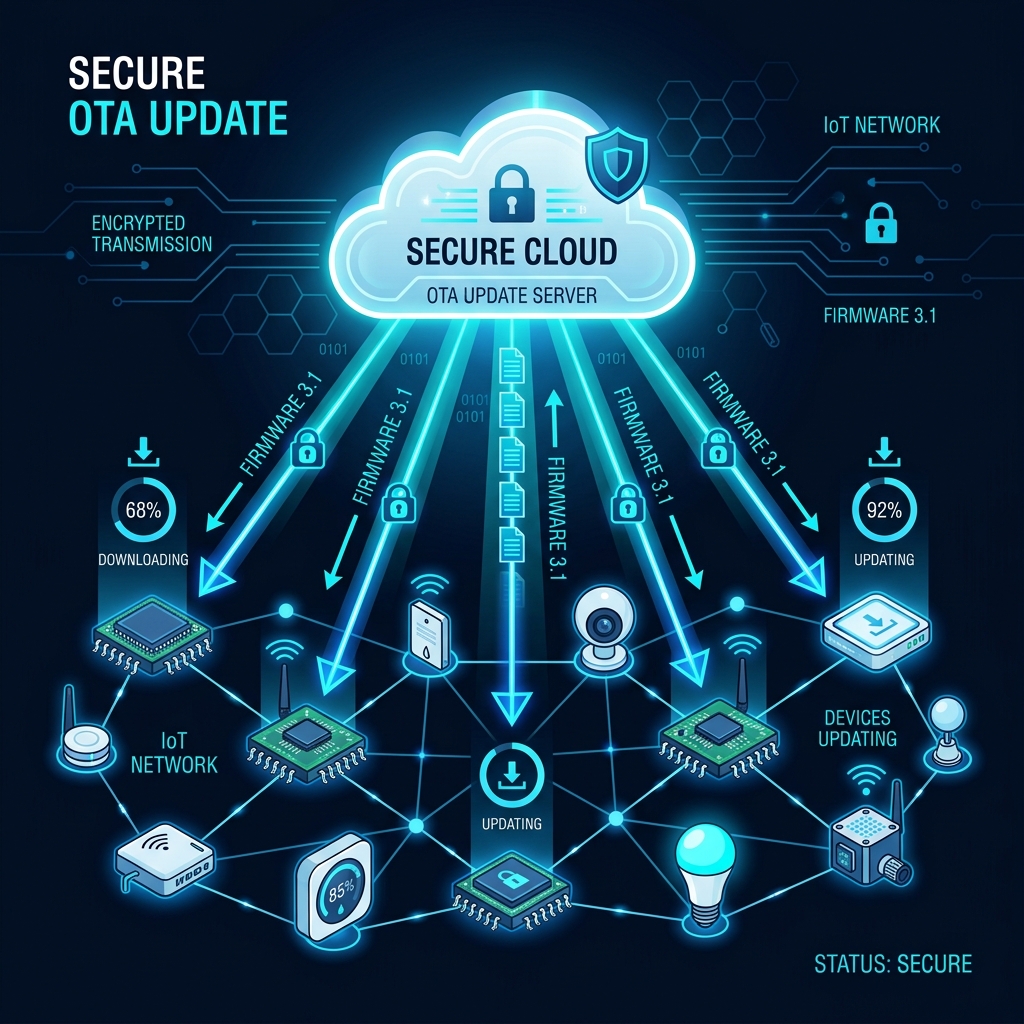


Article Contents
- •Why OTA Security Matters
- •Understanding the OTA Attack Surface
- •Designing a Trusted Update Chain
- •Signing and Verifying Software
- •Protecting Update Keys
- •Securing the Update Distribution Layer
- •Preventing Rollback and Replay Attacks
- •Device Identity and Authorization
- •Safe Rollouts and Automatic Rollback
- •Monitoring OTA Updates in Production
- •Handling Failed or Compromised Updates
- •Common OTA Security Mistakes
- •A Practical Secure OTA Strategy
- •The Future of Secure Device Updates
- •Making the Call
- •Final Takeaway
Over-the-air (OTA) updates make it possible to patch vulnerabilities, ship new features, and maintain connected devices without physically touching them. But the same mechanism that gives engineering teams remote control can become a powerful attack path if an attacker can forge, replace, replay, or intercept an update. This guide explores how to design OTA systems with cryptographic verification, secure distribution, staged rollouts, rollback protection, device identity, and continuous monitoring.
Why OTA Security Matters
Connected devices increasingly depend on software.
That includes:
Vehicles
Industrial equipment
IoT sensors
Smart appliances
Medical devices
Mobile and edge hardware
Enterprise devices
The ability to update these devices remotely is extremely valuable.
Without OTA updates, organizations may need to:
Find Device
   ↓
Physically Access It
   ↓
Install Update
   ↓
Verify
   ↓
Return to Service
At scale, that quickly becomes impractical.
OTA changes the model:
Update Published
      ↓
Secure Distribution
      ↓
Device Downloads
      ↓
Device Verifies
      ↓
Device Installs
      ↓
Device Reboots
But this introduces a critical security question:
How does the device know that the software it received is genuinely authorized?
If an attacker can replace an official update with malicious software, the OTA system can become a remote compromise mechanism.
Understanding the OTA Attack Surface
A secure OTA architecture must protect the entire update lifecycle.
Consider:
Developer
   ↓
Build System
   ↓
Signing
   ↓
Update Repository
   ↓
CDN / Distribution
   ↓
Device
   ↓
Bootloader
   ↓
Installed Software
Every stage represents a potential trust boundary.
Attackers may attempt to:
Compromise the build pipeline
Steal signing keys
Replace update packages
Modify downloads
Replay old software
Downgrade devices
Target specific devices
Abuse update APIs
Security therefore cannot stop at HTTPS.
The device needs a way to independently verify that the software is authentic and authorized.
Designing a Trusted Update Chain
A strong OTA architecture establishes a chain of trust from software creation to execution.
A simplified model looks like:
Trusted Source
      ↓
Build
      ↓
Sign
      ↓
Distribute
      ↓
Download
      ↓
Verify
      ↓
Install
      ↓
Execute
The device should not simply trust:
"This file came from our server."
It should verify:
"This software was signed by an authorized key, matches the expected integrity information, and is allowed to run on this device."
This is the foundation of secure OTA design.
Signing and Verifying Software
Digital signatures are one of the most important controls in an OTA system.
The basic concept is:
Software Package
      ↓
Cryptographic Hash
      ↓
Digital Signature
      ↓
Update Package
The device receives the package and verifies the signature using the appropriate trusted public key.
Conceptually:
Update
  ↓
Verify Signature
  ↓
Valid?
 ┌───┴───┐
Yes      No
 │        │
Install  Reject
This protects against attackers modifying the update package after it has been signed.
However, signing only works if signing keys themselves are properly protected.
That makes key management one of the most critical parts of the architecture.
Protecting Update Keys
A compromised signing key can be devastating.
If an attacker obtains a private signing key with authority over device updates, they may be able to create software that devices accept as legitimate.
Signing keys should therefore receive stronger protection than ordinary application credentials.
Important practices include:
Restricted access
Hardware-backed key protection where appropriate
Dedicated signing infrastructure
Multi-party approval for high-risk operations
Key rotation
Key revocation procedures
A production pipeline might look like:
Developer
    ↓
Code Review
    ↓
Build
    ↓
Security Validation
    ↓
Release Approval
    ↓
Protected Signing Service
    ↓
Signed Artifact
The signing key should not casually live on a developer laptop or inside source control.
Securing the Update Distribution Layer
Even with signed packages, the distribution system needs protection.
A typical architecture might be:
Release System
     ↓
Artifact Repository
     ↓
CDN / Update Service
     ↓
Device
Use secure transport such as TLS, but remember:
Transport security and software authenticity solve different problems.
TLS helps protect the connection.
Digital signatures help the device verify the software itself.
A robust system can therefore defend against an attacker who compromises a distribution endpoint but cannot produce a valid authorized signature.
Additional controls may include:
Authenticated update APIs
Access controls
Integrity metadata
Artifact versioning
CDN security
Rate limiting
Distribution monitoring
Preventing Rollback and Replay Attacks
Imagine a device receives:
Version 5
but an attacker attempts to install:
Version 2
If Version 2 contains a known vulnerability, successfully forcing the device back to it could undo a security patch.
This is a rollback attack.
OTA systems should therefore have a mechanism for determining whether a particular software version is allowed.
Conceptually:
Update Version
      ↓
Authorized?
      ↓
Newer / Allowed?
 ┌────┴────┐
Yes        No
 │          │
Install    Reject
The exact implementation depends on the platform and device architecture.
Version metadata, monotonic counters, secure boot mechanisms, and protected state can all contribute to rollback protection.
Device Identity and Authorization
Not every device should necessarily receive every update.
A fleet may contain:
Different hardware revisions
Different regions
Different product configurations
Different software channels
The update service therefore needs to understand device identity and eligibility.
A simplified workflow:
Device
  ↓
Authenticate
  ↓
Identify Hardware / Version
  ↓
Check Update Eligibility
  ↓
Download
  ↓
Verify
  ↓
Install
This prevents accidental deployment of incompatible software.
It can also reduce the blast radius of a compromised release.
Safe Rollouts and Automatic Rollback
One of the biggest mistakes in OTA architecture is sending a new release to every device simultaneously.
A safer strategy is progressive deployment.
For example:
Internal Devices
      ↓
Canary Fleet
      ↓
5%
      ↓
25%
      ↓
50%
      ↓
100%
At each stage, monitor:
Crash rates
Boot failures
Connectivity
Performance
Battery behavior
Application errors
Security signals
If the metrics deteriorate, stop the rollout.
A mature system can automatically trigger rollback or halt further deployment when predefined safety thresholds are exceeded.
Monitoring OTA Updates in Production
The OTA process does not end when the package is downloaded.
Teams need visibility into what happens afterward.
A useful monitoring pipeline is:
Device
  ↓
Update Attempt
  ↓
Telemetry
  ↓
Central Monitoring
  ↓
Release Health
  ↓
Decision
Monitor metrics such as:
Download success
Signature verification failures
Installation failures
Boot failures
Rollback events
Version distribution
Device health
This allows teams to identify problems quickly.
For example:
Version 8.2
   ↓
10,000 Devices
   ↓
Failure Rate Increasing
   ↓
Rollout Automatically Paused
The ability to stop a bad deployment quickly can be just as important as preventing malicious updates.
Handling Failed or Compromised Updates
Even a well-designed update system needs a recovery strategy.
Possible failure scenarios include:
Corrupted downloads
Power loss during installation
Incompatible firmware
Backend failures
Bad releases
Compromised build infrastructure
A resilient device may use an A/B update model:
Partition A
   ↓
Running System

Partition B
   ↓
New Update
The device can install the new software into the inactive partition.
After reboot:
Boot New Version
      ↓
Health Check
   ┌──┴──┐
Pass   Fail
 │       │
Keep   Rollback
This reduces the risk of permanently disabling the device because of a failed update.
The exact mechanism depends on the device platform and operating environment.
Common OTA Security Mistakes
Trusting HTTPS Alone
Encrypted transport does not prove that the software package itself is authorized.
Storing Signing Keys in CI Variables Without Strong Controls
Signing credentials require stronger protection than ordinary deployment secrets.
Allowing Unlimited Downgrades
Attackers may exploit older vulnerable versions.
Updating Every Device at Once
A bad release can become a fleet-wide incident.
Ignoring Power Loss During Updates
Devices can become unusable if installation is not designed for interruption.
Failing to Monitor Update Health
A successful download does not mean a successful deployment.
Making Updates Permanently Irreversible
A secure update system also needs recovery mechanisms.
Giving Update Services Excessive Permissions
Update infrastructure should follow least-privilege principles.
A Practical Secure OTA Strategy
Step 1: Define the Trust Model
Identify:
Who creates software?
Who approves releases?
Who signs them?
Who distributes them?
Who verifies them?
Step 2: Secure the Build Pipeline
Protect:
Source code
Build infrastructure
Dependencies
Artifacts
Signing process
A compromised build environment can undermine every downstream security control.
Step 3: Implement Cryptographic Verification
Require devices to verify update authenticity before installation.
Step 4: Protect Signing Keys
Use appropriate secure key-management infrastructure and restrict signing authority.
Step 5: Add Version and Rollback Controls
Prevent unauthorized or unsafe downgrades.
Step 6: Authenticate Devices
Know which device is requesting which update.
Step 7: Deploy Progressively
Start with small fleets before expanding.
Step 8: Monitor Release Health
Define automatic rollout-stop thresholds before deployment.
Step 9: Design Recovery
Support safe rollback or recovery from failed updates where the platform permits it.
Step 10: Test the Entire Update Lifecycle
Simulate:
Network loss
Power interruption
Invalid signatures
Corrupted packages
Downgrade attempts
Compromised credentials
Bad releases
Security testing should include both malicious and accidental failure scenarios.
The Future of Secure Device Updates
As connected devices become more sophisticated, OTA systems will become part of a broader device security architecture.
Future platforms will increasingly combine:
Secure boot
Hardware-backed identity
Cryptographic signing
Remote attestation
Zero-trust principles
Automated rollout controls
Fleet observability
A mature architecture could look like:
                  Release Pipeline
                        │
                 Security Checks
                        │
                  Protected Signing
                        │
                  Update Service
                        │
        ┌───────────────┼───────────────┐
        ▼               ▼               ▼
     Device A        Device B        Device C
        │               │               │
   Verify Update   Verify Update   Verify Update
        │               │               │
     Secure Boot     Secure Boot     Secure Boot
        │               │               │
        └───────────────┼───────────────┘
                        ▼
                  Fleet Monitoring
AI may also help identify unusual deployment behavior, such as:
Unexpected failure clusters
Abnormal device behavior
Regional anomalies
Unusual update patterns
But AI should complement deterministic security controls—not replace cryptographic verification or explicit authorization.
Making the Call
Engineering and security leaders designing an OTA platform should ask:
Can a device independently verify every update before execution?

Where are signing keys stored and who can use them?

Can an attacker replay an older vulnerable release?

How do we prevent unauthorized downgrades?

Can the system safely recover from a failed update?

How do we authenticate devices?

Can we stop a rollout within minutes if something goes wrong?

What happens if the build pipeline is compromised?

Can we prove which version is running on every device?
Most importantly:
Does our OTA system remain trustworthy even when part of the delivery infrastructure is compromised?
That is the standard a serious OTA architecture should aim for.
Final Takeaway
OTA updates give organizations extraordinary operational leverage.
They also create extraordinary responsibility.
A secure OTA architecture should establish trust from the moment software is built until the moment it executes:
Secure Build
    ↓
Protected Signing
    ↓
Trusted Distribution
    ↓
Device Verification
    ↓
Secure Installation
    ↓
Rollback Protection
    ↓
Fleet Monitoring
Start by protecting the software supply chain.
Use cryptographic signatures.
Keep signing keys highly protected.
Verify updates on the device.
Prevent unsafe downgrades.
Deploy gradually.
Monitor every release.
Design recovery before you need it.
And treat the OTA system itself as critical infrastructure.
An OTA update mechanism is effectively a remote control channel to an entire device fleet. It must therefore be secured with the same seriousness as the devices and systems it controls.
The goal is not simply to make updates convenient.
It is to make them authentic, authorized, resilient, observable, and recoverable.
Build trust into every update. Protect the keys. Verify before execution. Roll out gradually. Recover safely. And make secure software delivery a permanent part of the device architecture—not a feature added after deployment.
Frequently Asked Questions
Need a product built?
We build custom software, mobile apps, and web platforms for startups and enterprises.



Their team became an extension of ours — within months they'd rebuilt our entire product experience from the ground up.
