
Compiling Spring Boot 3 with GraalVM: Building Faster, Smaller, and More Efficient Java Services
Learn how GraalVM Native Image and AOT processing in Spring Boot 3 can dramatically improve startup times and reduce memory consumption for your Java applications.


Article Contents
- •Why Java Applications Are Going Native
- •What GraalVM Native Image Actually Changes
- •Spring Boot 3 and AOT Processing
- •JVM vs. Native Deployment
- •How Native Compilation Works
- •Building Your First Native Spring Boot Application
- •Reflection and Runtime Metadata
- •Choosing What Runs at Build Time
- •Startup Time and Memory Efficiency
- •Containerizing Native Spring Boot Applications
- •Performance Trade-Offs
- •Testing Native Builds
- •Observability in Native Applications
- •Common Native Image Problems
- •A Modern Spring Boot + GraalVM Architecture
- •How to Introduce Native Compilation Safely
- •When GraalVM Native Image Makes Sense
- •When the JVM Is Still Better
- •Making the Call
- •Final Takeaway
Spring Boot has long made Java backend development productive, but traditional JVM applications come with a familiar trade-off: excellent runtime performance and a mature ecosystem at the cost of startup time, memory usage, and a relatively large runtime footprint. GraalVM Native Image changes that equation by compiling Spring Boot applications ahead of time into native executables. The result can be dramatically faster startup, lower memory consumption, and smaller deployment footprints—especially valuable for containers, serverless workloads, and rapidly scaling services. But native compilation is not simply a faster version of `java -jar`. It changes how your application is analyzed, initialized, configured, and deployed. In Spring Boot 3, the combination of AOT processing and GraalVM Native Image makes native deployment much more practical, but getting the best results requires understanding reflection, proxies, dynamic class loading, build pipelines, observability, and the boundaries of the Spring ecosystem.
Why Java Applications Are Going Native
The JVM remains one of the strongest application runtimes available.
It provides:
JIT compilation
Garbage collection
Dynamic class loading
A mature ecosystem
Excellent profiling tools
Long-running runtime optimization
For many workloads, that is exactly what you want.
But cloud-native applications have introduced a different set of requirements.
Consider a service that is frequently started and stopped:
Container Starts
      ↓
JVM Starts
      ↓
Spring Boot Starts
      ↓
Application Initializes
      ↓
Request Handling
For a long-running application, startup overhead may not matter much.
For serverless functions, short-lived containers, autoscaling workloads, and highly elastic services, it can matter significantly.
Native compilation changes the model:
Build Time
   ↓
Analyze Application
   ↓
Compile to Native Executable
   ↓
Deploy
   ↓
Fast Startup
Much of the work traditionally performed when the application starts can be shifted into the build process.
What GraalVM Native Image Actually Changes
A traditional Spring Boot application typically runs as:
Application
   ↓
JVM
   ↓
JIT Compiler
   ↓
Machine Code
A native application is compiled ahead of time:
Application
   ↓
Native Image Compiler
   ↓
Native Executable
   ↓
Operating System
Instead of shipping a JVM application and relying on runtime compilation, you ship a platform-specific executable.
For example:
my-servicecan be deployed directly into a compatible Linux container.
This can dramatically reduce startup overhead.
But there is an important trade-off:
Native Image performs aggressive analysis at build time to determine what code and metadata the application will need at runtime.
That is where many compatibility challenges originate.
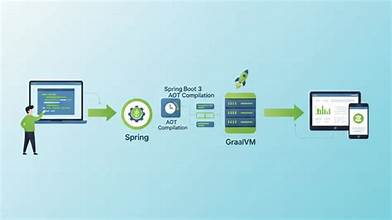
Spring Boot 3 and AOT Processing
Spring Boot 3 made native compilation considerably more approachable through its Ahead-of-Time processing model.
The architecture becomes:
Spring Application
       ↓
Spring AOT Processing
       ↓
Generated Runtime Hints / Code
       ↓
GraalVM Native Image
       ↓
Native Executable
Instead of relying as heavily on runtime discovery, Spring can generate information ahead of time.
This is particularly important for Spring applications because the framework ecosystem historically makes extensive use of:
Reflection
Dependency injection
Proxies
Annotations
Dynamic configuration
Native compilation needs to know what will actually be required.
Spring's AOT tooling helps bridge that gap.
JVM vs. Native Deployment
The difference becomes clearer when comparing the two approaches.
Traditional JVM
Source
 ↓
JAR
 ↓
JVM
 ↓
Runtime Initialization
 ↓
JIT Optimization
 ↓
Application
Native
Source
 ↓
AOT Processing
 ↓
Native Compilation
 ↓
Executable
 ↓
Application
Native deployment can offer:
Very fast startup
Lower baseline memory usage
Smaller runtime environments
Fast scale-out
But JVM deployment still has advantages:
Faster build cycles
Broader runtime compatibility
Excellent long-running optimization
Simpler debugging in some scenarios
Less friction with highly dynamic libraries
The decision is workload-specific.
How Native Compilation Works
Native Image performs static analysis to determine which parts of the application are reachable.
Conceptually:
Application
   │
   ├── Used Classes
   ├── Unused Classes
   ├── Reflection
   ├── Resources
   └── Dynamic Behavior
          │
          ▼
     Native Analysis
          │
          ▼
     Native Executable
The compiler tries to include only what is necessary.
That can produce a smaller executable than a traditional application distribution.
But static analysis has an important limitation.
If your application says:
At runtime, discover this class dynamically.
the compiler may not know that the class is required.
That leads to one of the most important concepts in native Spring applications.
Reflection and Runtime Metadata
Traditional JVM applications can often discover classes dynamically.
For example:
String Class Name
      ↓
Reflection
      ↓
Load Class
      ↓
Invoke Method
Native compilation cannot assume every possible class might be needed.
It needs explicit information about dynamic behavior.
Spring Boot's AOT infrastructure and runtime hints can provide that information.
For example:
Dynamic Requirement
      ↓
Runtime Hint
      ↓
Native Image
      ↓
Required Metadata Included
When a library fails in a native build, reflection is often one of the first areas worth investigating.
Runtime Hints
Spring provides mechanisms for declaring information that native compilation needs.
These hints can describe requirements involving:
Reflection
Resources
Serialization
Proxies
The important architectural idea is:
Make dynamic behavior visible to the native build.
For applications using well-supported Spring ecosystem libraries, much of this work can already be handled automatically.
But custom frameworks, third-party libraries, and unusual runtime behavior may require additional configuration.
Dynamic Proxies Can Also Matter
Spring applications frequently use proxies.
For example:
Service
  ↓
Proxy
  ↓
Target Object
Those proxies can support features such as:
Transactions
Security
AOP
Caching
Native compilation needs to understand which proxy types may exist.
Again, Spring's AOT tooling handles many common cases, but custom or unusual proxy usage may require explicit hints.
This is why native compatibility should be tested early rather than treated as a final deployment concern.
Choosing What Runs at Build Time
Native compilation works by moving work from runtime into the build process.
Conceptually:
Traditional
Runtime
 ├── Analyze
 ├── Discover
 ├── Initialize
 └── Execute

Native
Build
 ├── Analyze
 ├── Generate
 ├── Initialize Where Safe
 └── Compile

Runtime
 └── Execute
The benefit is obvious:
Less work needs to happen when the application starts.
But build times can increase.
A native build may be significantly more resource-intensive than producing a standard JAR.
That means CI pipelines should be designed accordingly.
Building Your First Native Spring Boot Application
A modern Spring Boot project can be prepared for native deployment using Spring's native build support and a GraalVM-compatible toolchain.
The general workflow is:
Spring Boot Project
      ↓
Run Tests
      ↓
AOT Processing
      ↓
Native Compilation
      ↓
Native Executable
The exact Maven or Gradle configuration depends on the Spring Boot version and build setup.
The important point is that native support is integrated into the Spring Boot build lifecycle rather than requiring you to manually assemble a completely separate application.
Start With a Regular JVM Build
Before compiling natively, make sure the application is healthy on the JVM.
Use:
JVM Build
 ↓
Unit Tests
 ↓
Integration Tests
 ↓
Application Validation
Then introduce native compilation:
JVM Build
 ↓
Native Build
 ↓
Native Tests
This gives you a baseline.
If the application fails only after native compilation, the problem becomes much easier to isolate.
Native Images and Containers
Native applications are particularly attractive for containerized deployments.
A traditional Java container may look like:
Container
 ├── Linux Base
 ├── JRE
 ├── Application JAR
 └── Dependencies
A native container can be much leaner:
Container
 ├── Minimal Linux Base
 └── Native Executable
The application no longer requires a JVM at runtime.
This can reduce:
Image size
Startup overhead
Runtime memory footprint
But container size should not be the only goal.
Measure the actual production workload.
Startup Time
One of the most visible benefits of native compilation is startup.
A JVM application may need to:
Start JVM
 ↓
Initialize Spring
 ↓
Create Beans
 ↓
Configure Application
 ↓
Start Server
A native executable can start with much less runtime work:
Start Executable
 ↓
Initialize Application
 ↓
Ready
This becomes particularly valuable when instances are created frequently.
Examples include:
Serverless functions
Autoscaling services
Short-lived jobs
Event consumers
Burst workloads
For a service that runs continuously for months, startup time may be far less important.
Memory Efficiency
Native applications can also reduce baseline memory requirements.
This can be valuable in environments where resource allocation directly affects cost.
For example:
100 Instances
     ↓
Memory Per Instance
     ↓
Total Infrastructure Cost
Even modest improvements per instance can become meaningful at scale.
But be careful with simplistic comparisons.
JVM memory behavior depends heavily on:
Heap settings
Garbage collector
Application workload
Thread count
Caching
Traffic patterns
Compare native and JVM deployments under realistic workloads.
Native Performance Is Not Automatically Faster
This is an important point.
Native compilation can provide exceptional startup and memory characteristics.
But that does not mean every long-running workload will have higher throughput than a well-tuned JVM.
Modern JVMs use JIT compilation to optimize code based on real runtime behavior.
For example:
Long-Running Service
      ↓
JVM Observes Workload
      ↓
JIT Optimization
      ↓
Highly Optimized Hot Paths
A native executable has less opportunity for runtime optimization.
Therefore:
Native is often a better fit for fast startup and efficient scale-out—not automatically a better fit for every performance-sensitive application.
Benchmark your actual workload.
Build Time Is Part of the Trade-Off
Native compilation can be computationally expensive.
A development workflow like:
Edit
 ↓
Compile Native
 ↓
Wait
 ↓
Run
can become frustrating.
Do not use native compilation as the primary inner development loop unless your workflow specifically supports it.
A more practical model is:
Development
 ↓
JVM Mode
 ↓
Fast Feedback

CI / Release
 ↓
Native Build
 ↓
Native Validation
This gives developers fast iteration while still producing native artifacts for environments that benefit from them.
Testing Native Builds
A common mistake is testing only the JVM version.
You can have:
JVM Tests
   ↓
Pass
and:
Native Build
   ↓
Runtime Problem
Native compatibility is its own concern.
A production pipeline should therefore include:
Unit Tests
 ↓
Integration Tests
 ↓
Native Compilation
 ↓
Native Integration Tests
 ↓
Container Test
 ↓
Deployment
This catches problems involving:
Reflection
Resources
Serialization
Proxies
Initialization
Third-party libraries
before production.
Observability in Native Applications
Going native does not remove the need for operational visibility.
You still need:
Logs
Metrics
Tracing
Health checks
Error reporting
The observability architecture remains:
Native Application
      │
      ├── Logs
      ├── Metrics
      ├── Traces
      └── Health
             │
             ▼
       Observability Platform
Validate that your monitoring libraries and agents support native execution.
Some tooling designed around JVM internals may behave differently or provide a different feature set in native deployments.
Debugging Native Applications
Native debugging can feel different from traditional JVM debugging.
Your team should be prepared for differences involving:
Stack traces
Profiling
Runtime inspection
Dynamic behavior
Third-party tooling
This is another reason to avoid treating native compilation as an afterthought.
Teams should understand not only:
Can we build the executable?
but also:
Can we operate and debug it when something goes wrong?
Common Native Image Problems
Reflection Failures
A class is dynamically accessed but was not included correctly.
Missing Resources
A runtime resource was not included in the native image.
Dynamic Proxies
The application creates proxies that the native build cannot infer automatically.
Unsupported Dynamic Behavior
Some libraries depend heavily on runtime class generation or dynamic loading.
Build-Time Initialization Issues
A library may behave differently depending on whether initialization happens during the build or at runtime.
Native-Only Bugs
An application may work perfectly on the JVM but fail in native mode.
This is why native testing matters.
Third-Party Dependencies Need Attention
Spring Boot itself may support native execution well while an individual dependency does not.
For example:
Spring Boot
     ↓
Third-Party Library
     ↓
Dynamic Runtime Behavior
     ↓
Native Compatibility Problem
Before committing to native deployment, evaluate important dependencies.
Ask:
Does the library support native execution?
Does it rely on reflection?
Does it generate classes dynamically?
Does it load resources dynamically?
Does the project provide native hints?
A single incompatible dependency can become a significant migration blocker.
A Modern Spring Boot + GraalVM Architecture
A production architecture can look like:
                       Client
                         │
                         ▼
                    Load Balancer
                         │
              ┌──────────┼──────────┐
              ▼          ▼          ▼
          Native App  Native App  Native App
              │          │          │
              └──────────┼──────────┘
                         ▼
                 External Services
                         │
              ┌──────────┼──────────┐
              ▼          ▼          ▼
           Database    Cache      Messaging
Each service can start rapidly and scale horizontally.
Supporting the application:
CI/CD
Testing
Observability
Security
Container Registry
The architecture is especially attractive for highly elastic workloads.
How to Introduce Native Compilation Safely
Do not rewrite your entire platform at once.
Step 1 — Identify the Right Service
Choose a service with:
Clear boundaries
Predictable dependencies
High startup sensitivity
Step 2 — Establish a JVM Baseline
Measure:
Startup time
Memory
Throughput
Latency
Container size
Step 3 — Build a Native Prototype
Compile the service without changing its business behavior.
Step 4 — Resolve Compatibility Issues
Look for:
Reflection
Resources
Proxies
Dynamic libraries
Step 5 — Add Native Tests
Run meaningful application tests against the native executable.
Step 6 — Build a Native Container
Measure the actual runtime footprint.
Step 7 — Benchmark
Compare JVM and native versions under realistic load.
Step 8 — Deploy to a Controlled Environment
Use a small production-like workload.
Step 9 — Monitor
Track:
Startup
Memory
CPU
Latency
Error rate
Scaling behavior
Step 10 — Decide Based on Evidence
Keep the native deployment only if it produces meaningful value.
When GraalVM Native Image Makes Sense
Native compilation is particularly compelling for:
Serverless applications
Short-lived containers
Rapidly scaling microservices
CLI applications
Event-driven workers
Memory-constrained environments
High-density container platforms
For these workloads:
Fast Startup
    +
Low Memory
    +
Rapid Scaling
can create substantial operational value.
When the JVM Is Still Better
The traditional JVM remains an excellent choice for:
Long-running services
High-throughput applications
Applications with heavy dynamic behavior
Systems using libraries with limited native support
Teams that need extremely fast development cycles
Workloads already operating efficiently on the JVM
If a service starts once and runs continuously for months, reducing startup time from seconds to milliseconds may provide little practical value.
In that situation, the JVM's mature runtime optimization may be more important.
Making the Call
Engineering teams evaluating GraalVM should ask:
Does startup time materially affect our workload?
Is memory usage limiting our deployment density?
Are we paying significantly for idle runtime resources?
Do our dependencies support native execution?
Can our CI pipeline handle native compilation?
Can our team debug and operate native services effectively?
Have we benchmarked native against a tuned JVM deployment?
Most importantly:
Are we solving a measurable infrastructure problem—or optimizing because native compilation sounds faster?
That distinction matters.
Final Takeaway
Compiling Spring Boot 3 applications with GraalVM Native Image represents a significant shift in how Java applications can be packaged and operated.
The traditional model is:
Spring Boot
   ↓
JAR
   ↓
JVM
   ↓
Runtime Initialization + JIT
The native model becomes:
Spring Boot
   ↓
AOT Processing
   ↓
GraalVM Native Image
   ↓
Native Executable
The benefits can be substantial:
Faster startup
Lower memory overhead
Smaller runtime footprint
Rapid scale-out
Efficient container deployment
But native compilation introduces its own engineering considerations:
Reflection
Runtime hints
Dynamic proxies
Resource inclusion
Third-party compatibility
Longer build times
Different debugging characteristics
Native-specific testing
The most important lesson is:
Native compilation is an architectural deployment choice, not simply a compiler flag.
The best approach is to compare it against a well-tuned JVM deployment using real measurements.
If your application frequently starts and stops, scales rapidly, or runs under tight memory constraints, native execution can be transformative.
If your application is a long-running, highly optimized service with a mature JVM deployment, the traditional runtime may remain the better choice.
Spring Boot 3 and GraalVM make it possible to bring Java into environments where startup time and memory footprint matter more than ever. But the winning strategy is not to make every Spring application native. It is to identify the workloads where native execution creates measurable business and operational value—and adopt it there with the same discipline you would apply to any other production architecture decision.
Frequently Asked Questions
Need a product built?
We build custom software, mobile apps, and web platforms for startups and enterprises.



Their team became an extension of ours — within months they'd rebuilt our entire product experience from the ground up.
